
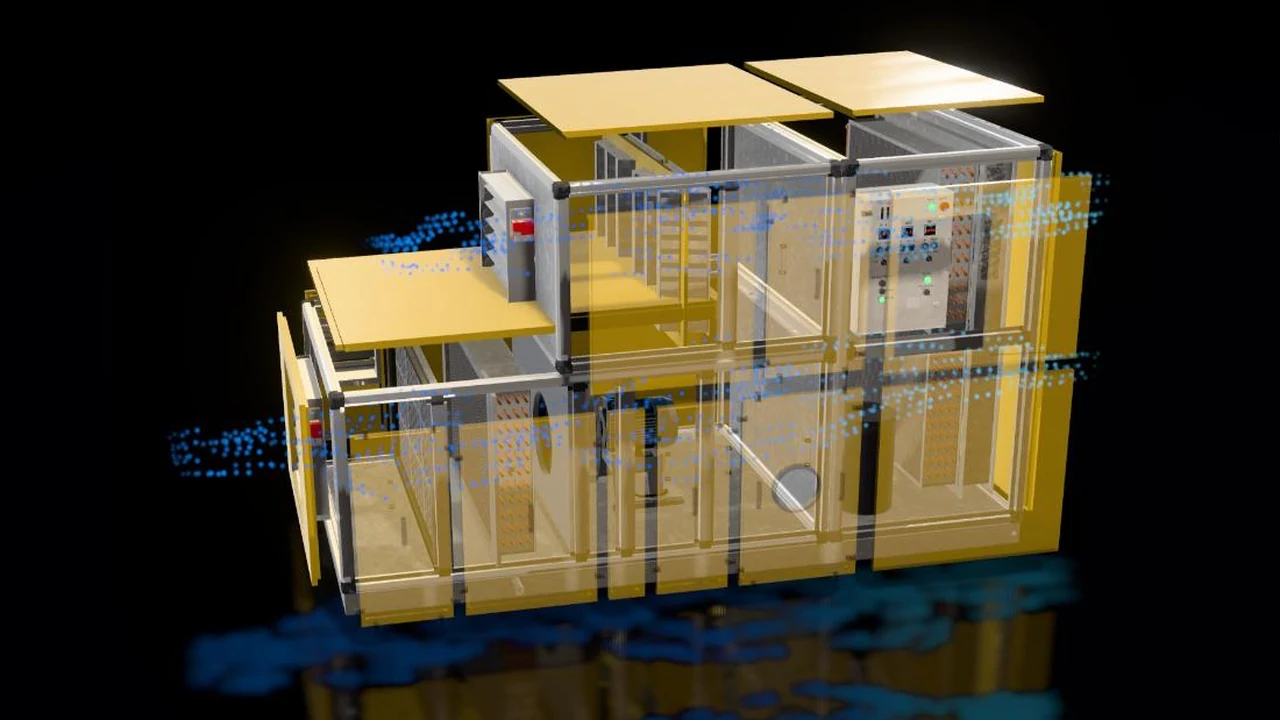
The value of an air handling unit is hidden inside it: the filter class, the coil surface, the fan and motor assembly, the dampers, the control panel. In a catalogue these appear as a cross-section drawing and a table. At a trade show the unit stands closed; to show what is inside, panels have to come off and visitors have to walk around the back. The engineer or project owner who makes the purchase decision often waits for a site visit to understand the product.
In this article we explain what a 3D configurator for HVAC products is, what the visitor can open and operate on an air handling unit, how the airflow is made visible, how the same model is used at trade shows and in sales presentations, and what it takes to run smoothly in a browser.
What is a 3D configurator for HVAC?
An HVAC 3D configurator is an interactive presentation that shows the 3D model of a product such as an air handling unit, rooftop unit or fan coil on a web page, where visitors rotate, open and operate the product themselves. It runs directly in the browser; no app download is needed. Galvanized sheet, painted panels, copper pipes and aluminium profiles are built with realistic materials.
We covered the general idea of a configurator and examples from other industries in our article on 3D product configurators. What is different in HVAC is that the real value of the product lies in its internal structure and how it works, not in its outer look; so the configurator is used less for picking colours and more for opening the product up and showing it.
What can the visitor do with the air handling unit?
- Remove the panels: With one tap the outer panels come off and the filter, coil and fan sections are exposed. The visitor rotates the unit and looks closely at each section.
- Run the unit: The control panel lights up, the dampers open and the fan starts turning. The gauges show temperature, frequency and airflow values.
- See the airflow: Air entering the unit, passing through the sections and leaving it becomes visible as moving particles. The flow can be followed with the panels on, too.
- Apply the brand colour: The outer panels switch to your brand colour, so the unit looks the way it does in your catalogue.
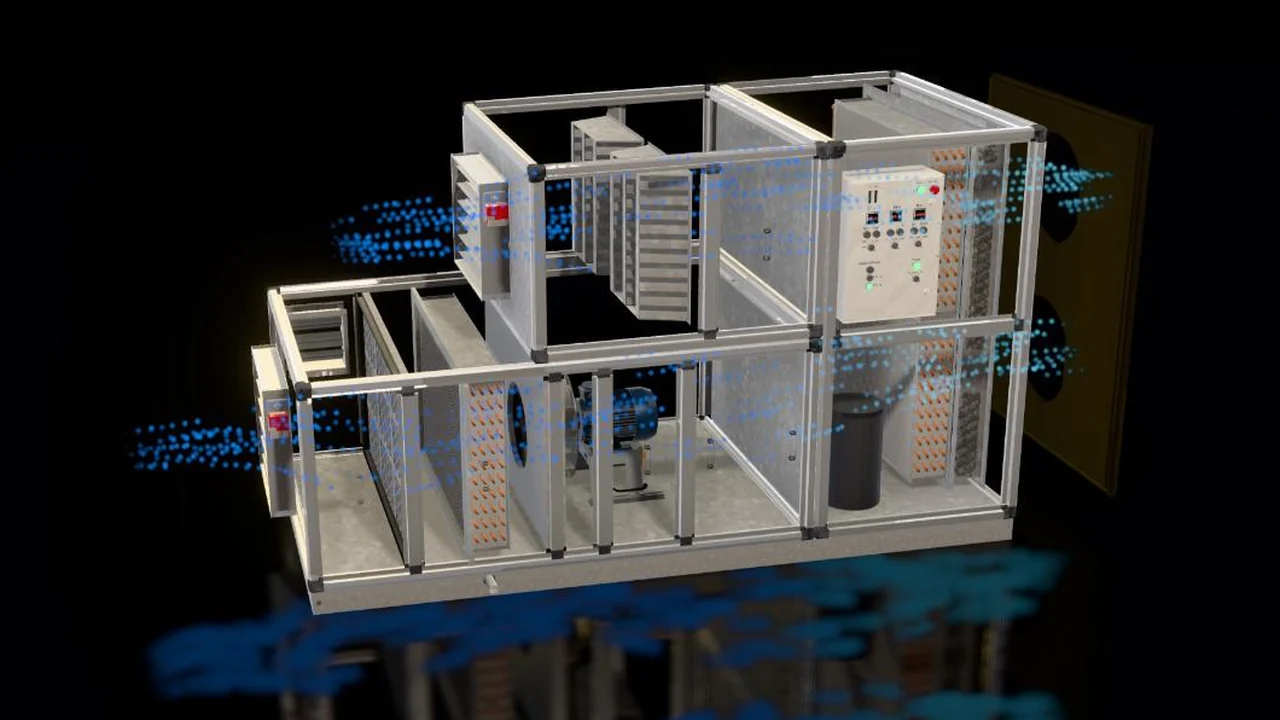
A working product instead of a cross-section drawing
A cross-section drawing shows what is inside a product but does not explain how it works. In a 3D presentation the visitor inspects the inside of the unit from their own angle, runs it and follows the path of the air. A diagram the technical team knows becomes a story the purchasing side can follow.
The same model can cover the whole product family. Units of different capacities, optional sections and accessories are defined on the model; when a new model is released, only the changed part is updated.
Trade shows, sales presentations and training
Bringing a full-size air handling unit to a trade show stand is expensive, and showing its inside is hard. The same 3D presentation opens on the stand screen or on a tablet; visitors take the unit apart and run it themselves. The sales team explains the product in customer meetings without carrying it, and service teams and dealers learn the maintenance points on the same model.
Videos for trade shows and presentations come from the same model too. See our 3D trade show and presentation animation page for that side.
Running smoothly in the browser
- Model preparation: Engineering models are heavier than a presentation needs. Hidden screws and internal parts are removed, while the visible detail of the model is kept.
- Light and shadow: For a realistic look, light and shadow are calculated in advance and stored in the model, so the unit does not look flat or artificial on a phone either.
- Quality by device: On a powerful computer, reflections and soft shadows are on; on a phone, the same unit with the same options is shown at a lighter quality.
- Testing: Before launch, load time and smoothness are measured on different phones and browsers.
3D presentation services for HVAC manufacturers
We build this presentation as a service for manufacturers of air handling units, rooftop units, fan coils, heat pumps and chillers. You send your product and the sections you want to show; we prepare the model and deliver the configurator for your site, along with videos and images for trade shows from the same model.
The 3D web and product configurator page shows how we work. To start a project, fill in the brief or get a quote.
Frequently Asked Questions
What if we do not have a 3D model of the product?
A CAD or STEP file from the manufacturer speeds things up. If there is none, the product is modelled from technical drawings, photos and measurements.
Do all internal parts of the product have to be shown?
No. We decide together which sections open and which details are visible. Internal structures that should stay confidential can be simplified in the presentation.
Can it be added to our existing website?
Yes. The presentation can be published as a separate page or embedded in the product page of your existing site. The same presentation also opens on trade show screens and tablets.
Tell us briefly about your product and the sections you want visitors to see, and we will work out the right presentation plan together.